
使用PVE的CT安装kwrt能够降低资源占用。在PVE导入时需要修改一些才能支持导入
使用PVE的CT安装kwrt能够降低资源占用。
从网络下载后导入,会发现无法正常导入,如下日志
Formatting ‘/mnt/xxx/images/xxx/vm-xxx-disk-0.raw’, fmt=raw size=1073741824 preallocation=off
Creating filesystem with 262144 4k blocks and 65536 inodes
Filesystem UUID: cb7393f2-fbb4-422c-a394-4c919696b436
Superblock backups stored on blocks:
32768, 98304, 163840, 229376
extracting archive ‘/mnt/sda3_crypt/template/cache/kwrt-07.06.2026-x86-64-generic-rootfs.tar.gz’
Total bytes read: 359137280 (343MiB, 76MiB/s)
unknown ID ‘kwrt’ in /etc/os-release file, trying fallback detection
TASK ERROR: unable to create CT XXX – unable to detect OS distribution
Creating filesystem with 262144 4k blocks and 65536 inodes
Filesystem UUID: cb7393f2-fbb4-422c-a394-4c919696b436
Superblock backups stored on blocks:
32768, 98304, 163840, 229376
extracting archive ‘/mnt/sda3_crypt/template/cache/kwrt-07.06.2026-x86-64-generic-rootfs.tar.gz’
Total bytes read: 359137280 (343MiB, 76MiB/s)
unknown ID ‘kwrt’ in /etc/os-release file, trying fallback detection
TASK ERROR: unable to create CT XXX – unable to detect OS distribution
问题出在PVE的系统库不存在kwrt这个ID
有两种解决方法:
1、在PVE里新增id为kwrt的资源,缺点:更新PVE后,极有可能会导致文件被清理,导致无法使用。
2、修改rootfs.tar.gz包,将kwrt修改为pve支持的系统,如debian
=============
kwrt下载地址
https://openwrt.ai/?target=x86%2F64&id=generic
下载到本地
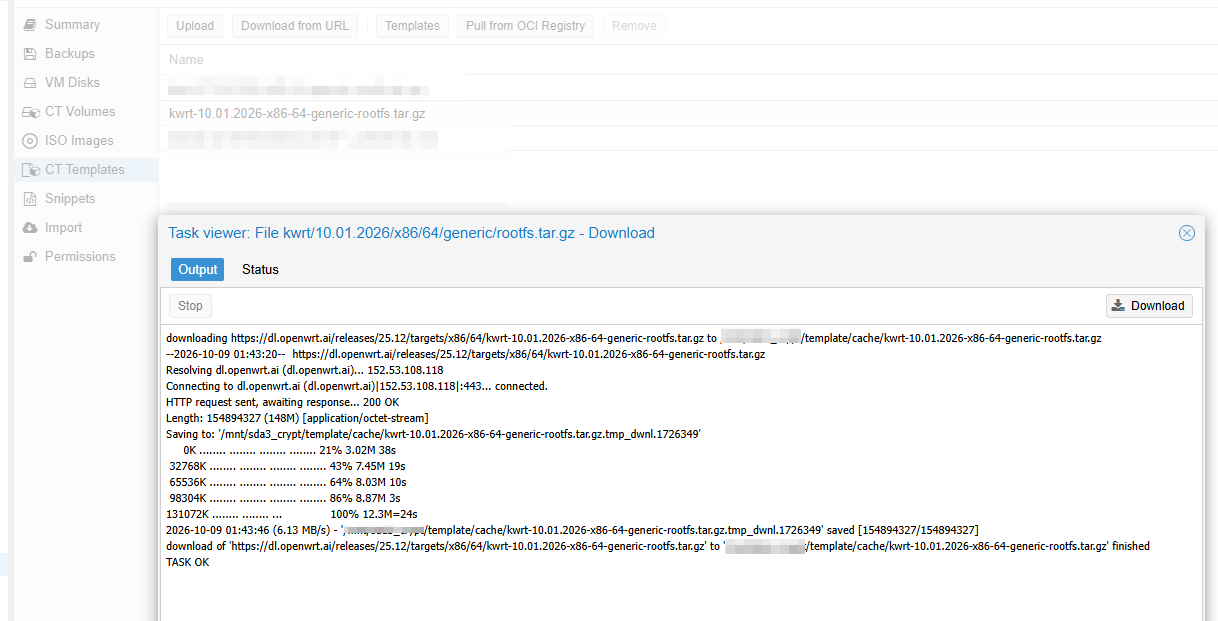
root@xx:/mnt/xxx/template/cache# ls -lha
total 148M
drwxr-xr-x 2 root root 4.0K Oct  9 01:56 .
drwxr-xr-x 4 root root 4.0K Dec  9  2025 ..
-rw-r--r-- 1 root root 148M Oct  7 12:30 kwrt-10.01.2026-x86-64-generic-rootfs.tar.gz
root@xxx/mnt/xxx/template/cache# mkdir kwrt-rootfs
root@xxx/mnt/xxx/template/cache# tar -xzf kwrt-10.01.2026-x86-64-generic-rootfs.tar.gz -C kwrt-rootfs
root@xxx/mnt/xxx/template/cache# cat kwrt-rootfs/etc/os-release
NAME="Kwrt"
VERSION="25.12-SNAPSHOT"
ID="kwrt"
ID_LIKE="lede openwrt"
PRETTY_NAME="Kwrt 25.12-SNAPSHOT"
VERSION_ID="25.12-snapshot"
HOME_URL="https://openwrt.ai/"
BUG_URL="https://bugs.openwrt.org/"
SUPPORT_URL="https://forum.openwrt.org/"
FIRMWARE_URL="https://downloads.openwrt.org/"
BUILD_ID="09.25.2026"
OPENWRT_BOARD="x86/64"
OPENWRT_ARCH="x86_64"
OPENWRT_TAINTS="busybox"
OPENWRT_DEVICE_MANUFACTURER="Kiddin'"
OPENWRT_DEVICE_MANUFACTURER_URL="https://openwrt.org/"
OPENWRT_DEVICE_PRODUCT="Generic"
OPENWRT_DEVICE_REVISION="v0"
OPENWRT_RELEASE="Kwrt 25.12-SNAPSHOT 09.25.2026 by Kiddin'"
OPENWRT_BUILD_DATE="1790343897"
查看支持的系统id信息
sed -n ‘40,100p’ /usr/share/perl5/PVE/LXC/Setup.pm
my $plugin_alias = {
    'opensuse-leap' => 'opensuse',
    'opensuse-tumbleweed' => 'opensuse',
    'opensuse-slowroll' => 'opensuse',
    'openEuler' => 'openeuler',
    arch => 'archlinux',
    sles => 'opensuse',
    rocky => 'centos',
    almalinux => 'centos',
};

my $autodetect_type = sub {
    my ($self, $rootdir, $os_release) = @_;

    if (my $id = $os_release->{ID}) {
        return $id if $plugins->{$id};
        return $plugin_alias->{$id} if $plugin_alias->{$id};
        warn "unknown ID '$id' in /etc/os-release file, trying fallback detection\n";
    }

    # fallback compatibility checks

    my $lsb_fn = "$rootdir/etc/lsb-release";
    if (-f $lsb_fn) {
        my $data = PVE::Tools::file_get_contents($lsb_fn);
        if ($data =~ m/^DISTRIB_ID=Ubuntu$/im) {
            return 'ubuntu';
        }
    }

    if (-f "$rootdir/etc/debian_version") {
        return "debian";
    } elsif (-f "$rootdir/etc/devuan_version") {
        return "devuan";
    } elsif (-f "$rootdir/etc/SuSE-brand" || -f "$rootdir/etc/SuSE-release") {
        return "opensuse";
    } elsif (-f "$rootdir/etc/fedora-release") {
        return "fedora";
    } elsif (-f "$rootdir/etc/centos-release" || -f "$rootdir/etc/redhat-release") {
        return "centos";
    } elsif (-f "$rootdir/etc/arch-release") {
        return "archlinux";
    } elsif (-f "$rootdir/etc/alpine-release") {
        return "alpine";
    } elsif (-f "$rootdir/etc/gentoo-release") {
        return "gentoo";
    } elsif (-d "$rootdir/nix/store") {
        return "nixos";
    } elsif (-f "$rootdir/etc/openEuler-release") {
        return "openeuler";
    } elsif (-f "$rootdir/etc/os-release") {
        die "unable to detect OS distribution\n";
    } else {
        warn
            "/etc/os-release file not found and autodetection failed, falling back to 'unmanaged'\n";
        return "unmanaged";
    }
};

sub new {
    my ($class, $conf, $rootdir, $type) = @_;
修改kwrt的id为debian
sed -i ‘s/^ID=”kwrt”/ID=”debian”/’ kwrt-rootfs/etc/os-release
echo “bookworm/sid” > kwrt-rootfs/etc/debian_version
sed -i 's/^ID="kwrt"/ID="debian"/' kwrt-rootfs/etc/os-release

cat kwrt-rootfs/etc/os-release
NAME="Kwrt"
VERSION="25.12-SNAPSHOT"
ID="debian"
ID_LIKE="lede openwrt"
PRETTY_NAME="Kwrt 25.12-SNAPSHOT"
VERSION_ID="25.12-snapshot"
HOME_URL="https://openwrt.ai/"
BUG_URL="https://bugs.openwrt.org/"
SUPPORT_URL="https://forum.openwrt.org/"
FIRMWARE_URL="https://downloads.openwrt.org/"
BUILD_ID="09.25.2026"
OPENWRT_BOARD="x86/64"
OPENWRT_ARCH="x86_64"
OPENWRT_TAINTS="busybox"
OPENWRT_DEVICE_MANUFACTURER="Kiddin'"
OPENWRT_DEVICE_MANUFACTURER_URL="https://openwrt.org/"
OPENWRT_DEVICE_PRODUCT="Generic"
OPENWRT_DEVICE_REVISION="v0"
OPENWRT_RELEASE="Kwrt 25.12-SNAPSHOT 09.25.2026 by Kiddin'"
OPENWRT_BUILD_DATE="1790343897"
grep '^ID=' kwrt-rootfs/etc/os-release
ID="debian"
echo "bookworm/sid" > kwrt-rootfs/etc/debian_version打包
cd kwrt-rootfs && tar -czf ../kwrt-10.01.2026-x86-64-generic-rootfs-id_debian.tar.gz . && cd ..
删除临时文件
rm -rf kwrt-rootfs
root@xxx/mnt/xxx/template/cache# cd kwrt-rootfs && tar -czf ../kwrt-10.01.2026-x86-64-generic-rootfs.tar.gz . && cd ..

root@xxx/mnt/xxx/template/cache# rm -rf kwrt-rootfs
root@xxx/mnt/xxx/template/cache# ls -lha
total 149M
drwxr-xr-x 2 root root 4.0K Oct  9 05:01 .
drwxr-xr-x 4 root root 4.0K Dec  9  2025 ..
-rw-r--r-- 1 root root 149M Oct  9 05:01 kwrt-10.01.2026-x86-64-generic-rootfs.tar.gz
root@xxx/mnt/xxx/template/cache#
创建虚拟机
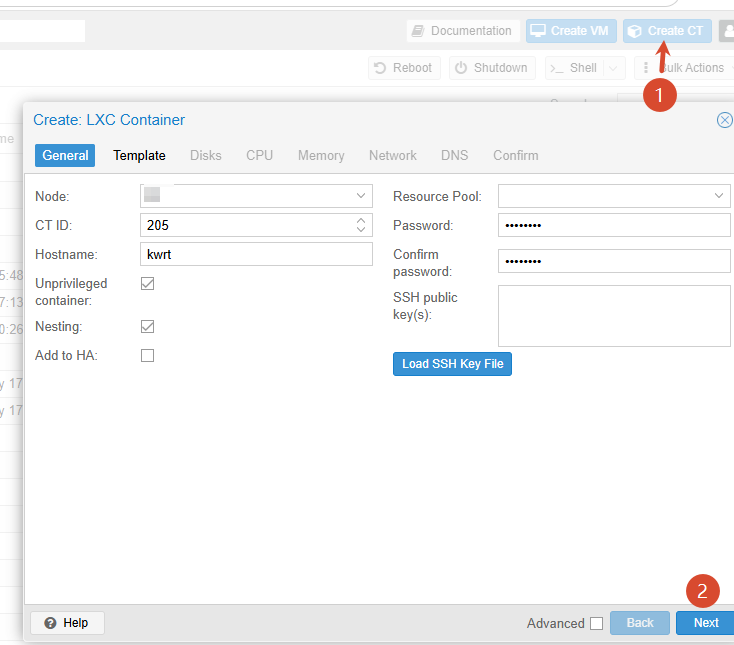
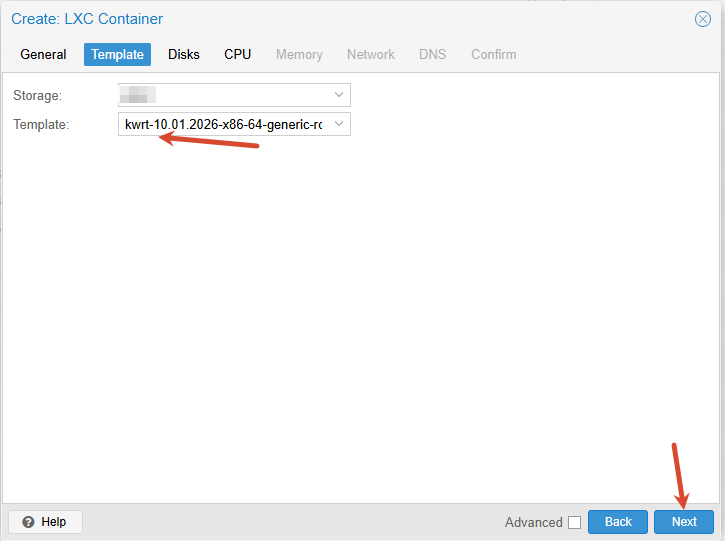
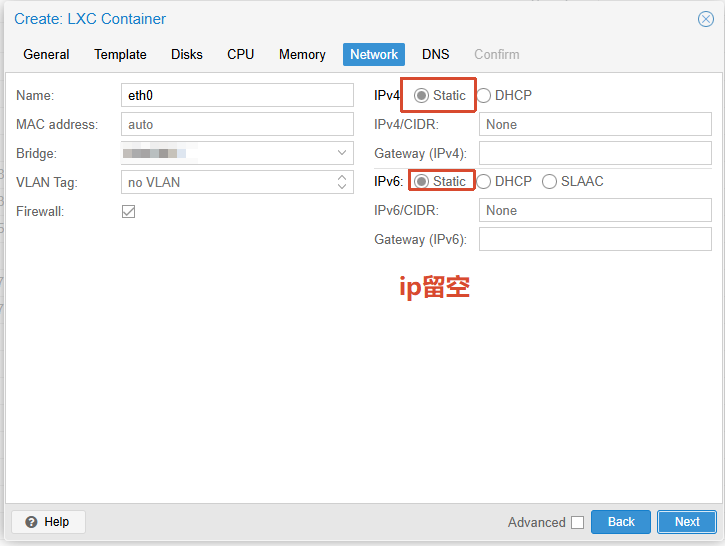
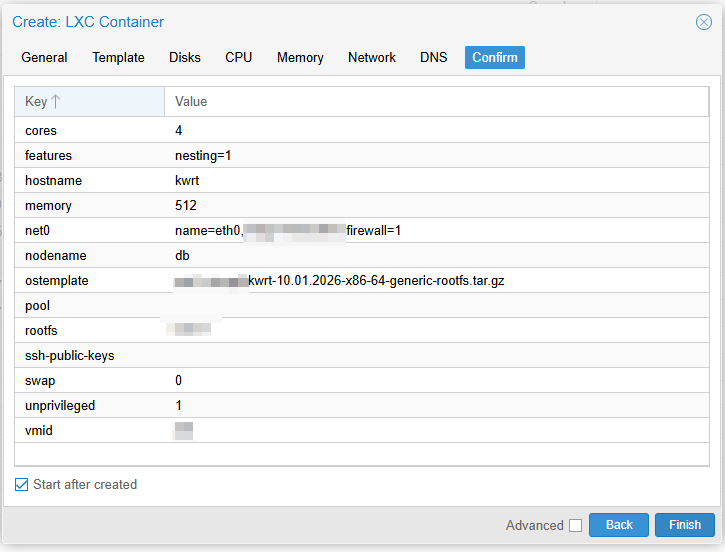
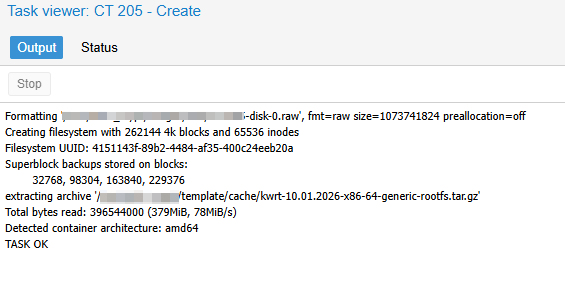
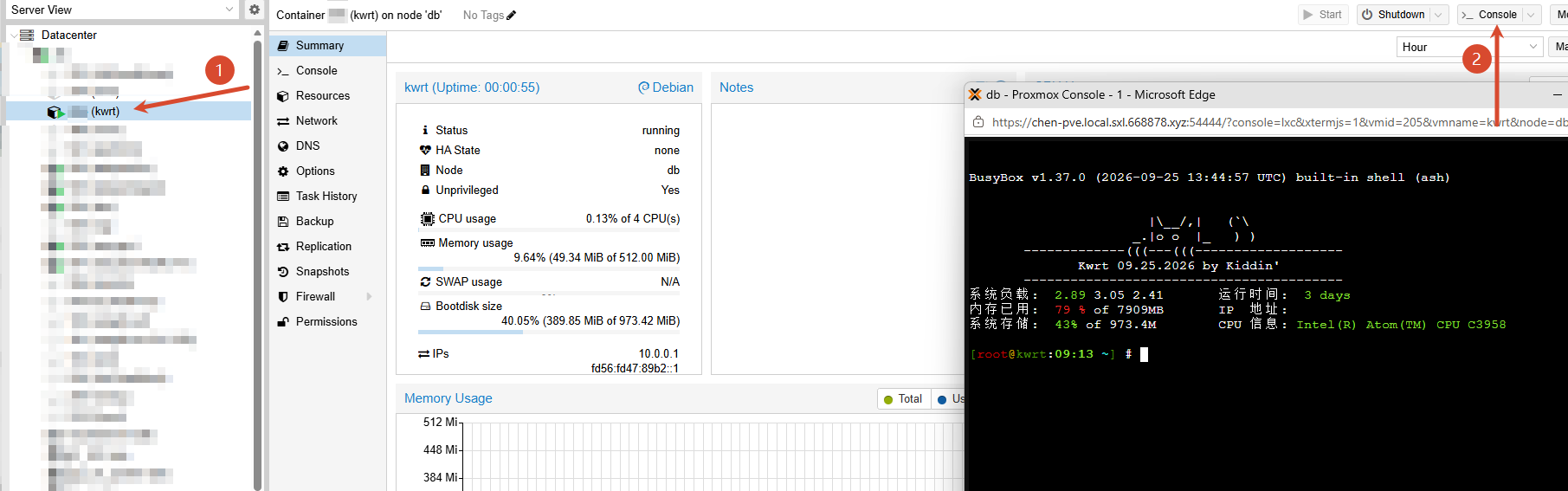
用户名和密码都是root
使用kwrt的命令配ip即可
